 Webcam - данный мод позволяет игрокам транслировать свои веб-камеры. Передача видео по UDP с использованием пользовательского протокола с шифрованием AES.
Меню настроек можно открыть с помощью горячей клавиши (по умолчанию C).
Конфигурация сервера
- config/webcam/server.json
Вот значения по умолчанию:
{
  "port": 25454,                 // Webcam UDP server port. This must not clash with any other used UDP port (like Simple Voice Chat port)
  "bind_address": "",            // Address to bind the Webcam server to. Leave blank to use the wildcard (0.0.0.0) address. F.e. use "127.0.0.1" to accept only local connections
  "host": "",                    // The hostname that clients should use to connect to the Webcam server. Leave blank to use the address, that player is connected to Minecraft with. Can be a simple address or an address with port. This will be ignored, if the server is proxied
  "keep_alive_period": 1000,     // Period of sending keep alive packets is milliseconds
  "permission_check_period": 60, // Period of checking webcam.broadcast and webcam.view permissions in ticks
  "max_display_distance": 100.0, // The distance in blocks from player, in which other players can see his webcam
  "display_on_face": false,      // Whether to display webcam on player model face or above his head
  "display_shape": "round",      // Shape of webcams displayed above players' head. Possible values: "round", "square"
  "display_offset_y": 1.3,       // Y offset of webcams displayed above players' head
  "display_size": 1.2,           // Size of webcams displayed above players' head
  "hide_nicknames": true,        // Whether to hide player's nickname if his webcam is enabled
  "display_self_webcam": true,   // Whether to show the player's webcam to himself
  "synced": {                    // These settings are synchronized with clients
    "image_dimension": 360,      // Side dimension of square webcam images
    "mtu": 1100,                 // Maximum Transmission Unit of packets. You can lower this, if image on webcam starts look glitchy or not arrives at all
    "bitrate": 500               // Target video bitrate (kbps)
  },
  "messages": {                  // Custom transtalions for messages, that are sent to players in different situations. May contain placeholders - %s
    "incompatible_mod_version": "Incompatible Webcam version. Your - %s, server's - %s" // The message that will be sent to player if he has incompatible Webcam mod version. You can set this to empty to disable sending this message
  }
}
Команды
/webcamconfig <field> [new_value] - команда для чтения/обновления значений конфигурации. Требуется разрешение webcam.command.config или другие параметры.
Разрешения
webcam.command.config - разрешение на изменение конфигурации сервера веб-камеры (по умолчанию: OP)
webcam.broadcast - разрешение на трансляцию веб-камеры (по умолчанию: true)
webcam.view - разрешение на просмотр веб-камер (по умолчанию: true)
Настройка на прокси
У Webcam есть плагин Velocity, который проксирует веб-серверы на внутренних серверах MC и позволяет подключаться к разным веб-серверам через один порт. Таким образом, он работает как UDP-прокси.
Если вы используете прокси-сервер и внутренний сервер на одном компьютере, вам необходимо настроить для них разные порты.
Конфигурация прокси
Конфигурация сервера находится в plugins/webcam/config.properties
Вот значения по умолчанию:
#Webcam proxy config

# Webcam UDP server port. This must not clash with any other used UDP port (like Simple Voice Chat port)
port=25454

# Address to bind the Webcam server to. Leave blank to use the wildcard (0.0.0.0) address. F.e. use "127.0.0.1" to accept only local connections
bind_address=

# The hostname that clients should use to connect to the Webcam server. Leave blank to use the address, that player is connected to Minecraft with. Can be a simple address or an address with port. This will override configured values on backend server's
host=
Скриншоты
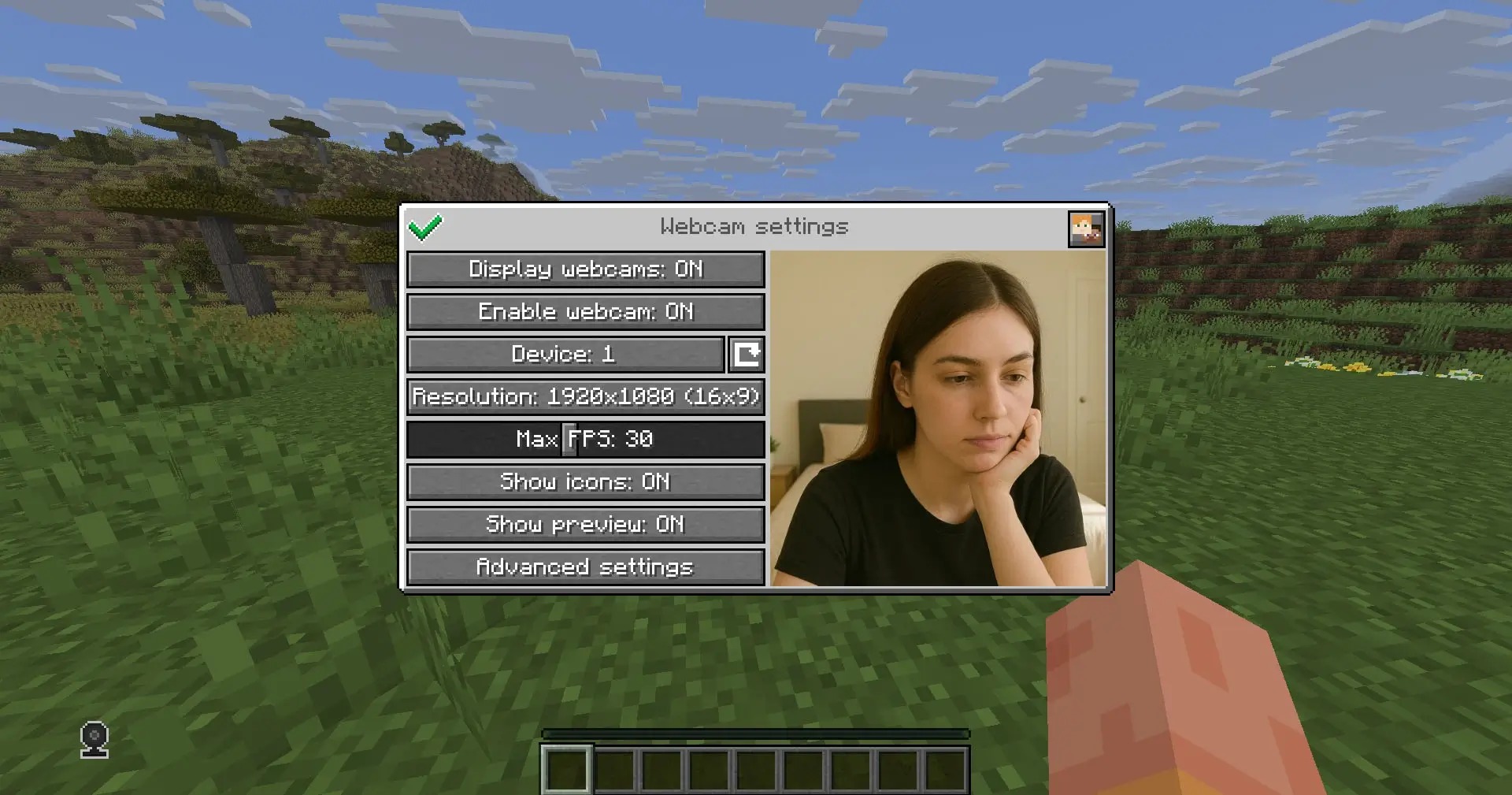
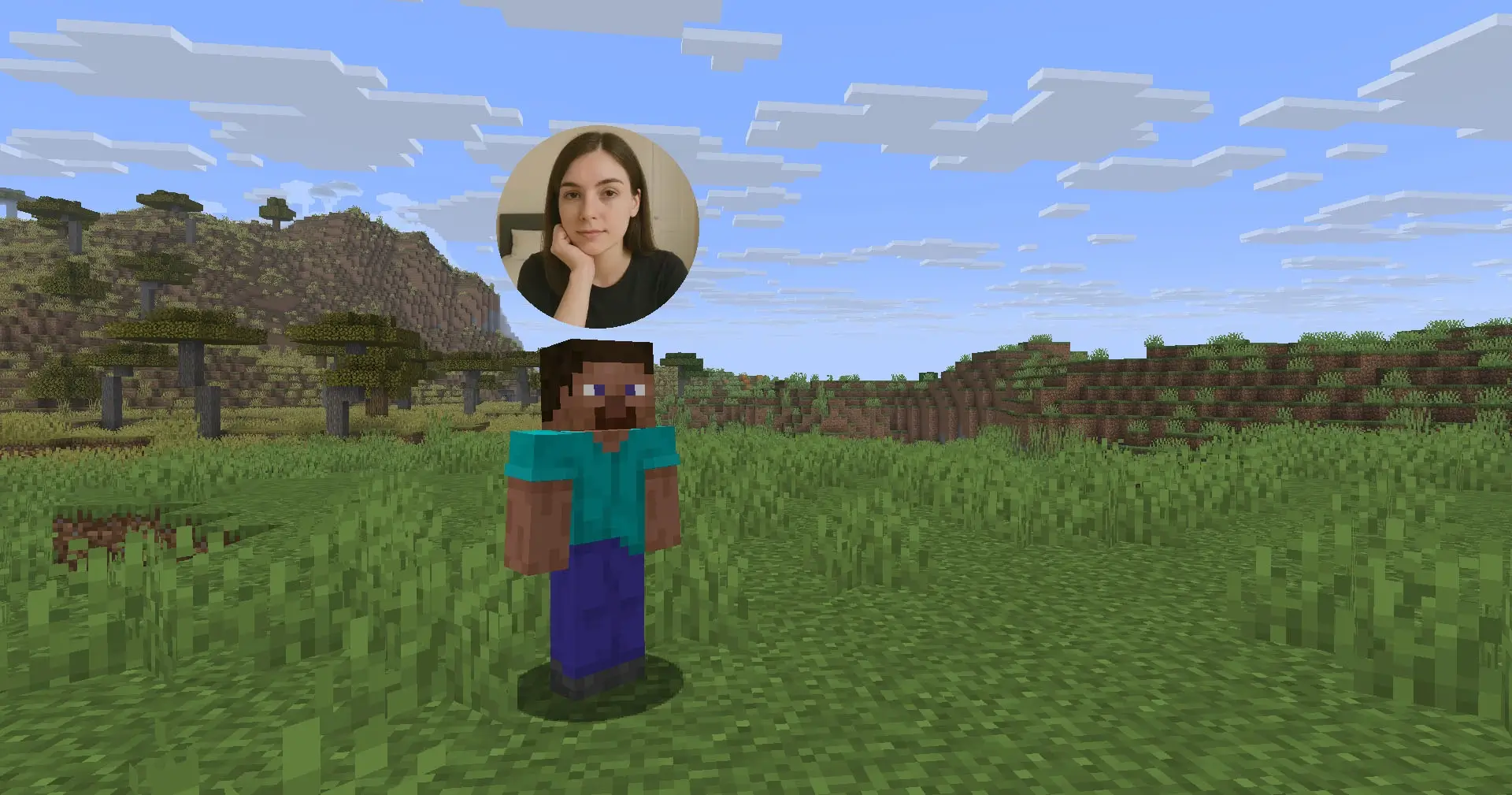
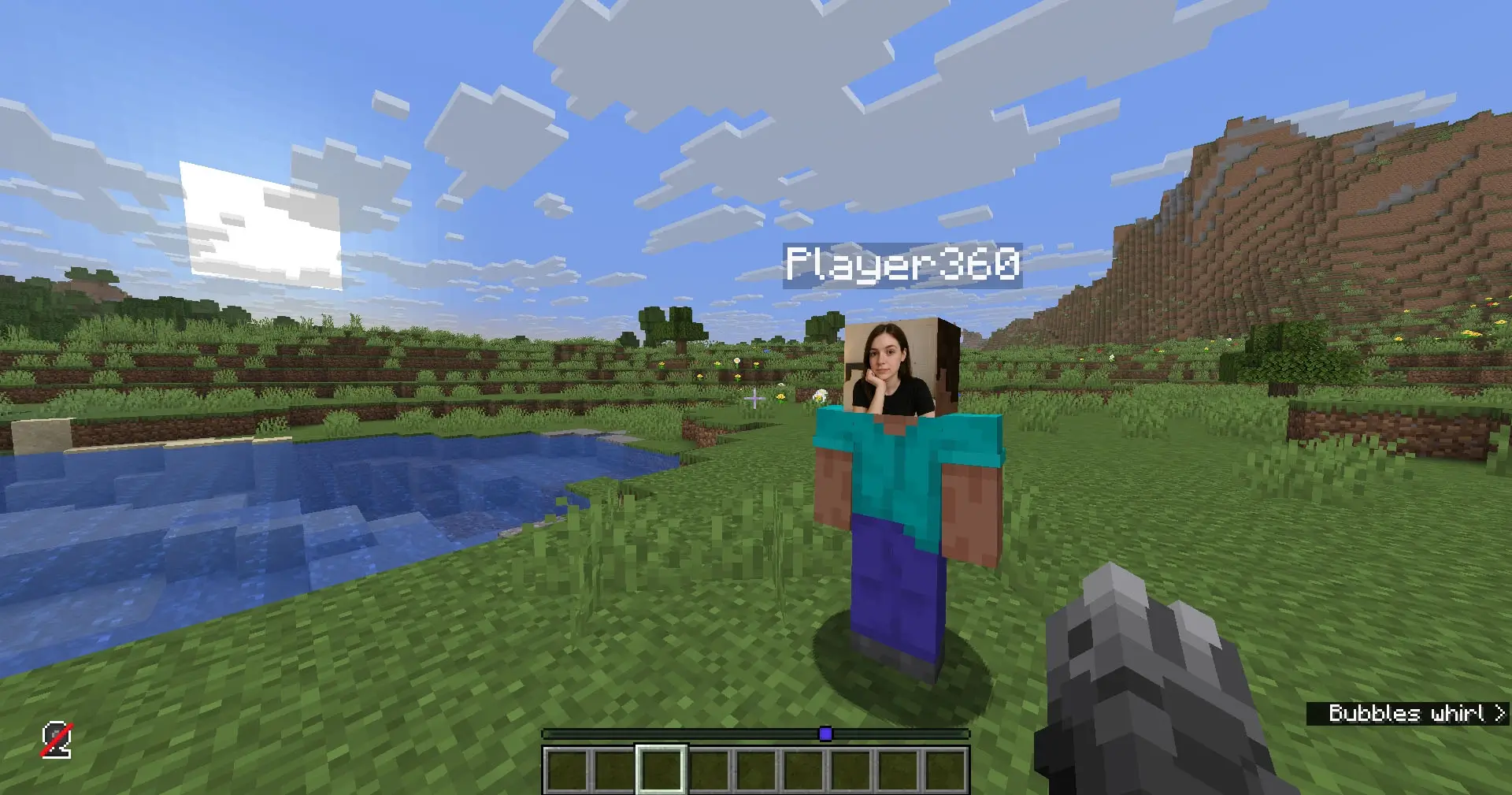
Как установить мод:
- Скачайте и установите Fabric
- Скачайте и установите Fabric API
- Скачайте мод и скопируйте в .minecraft/mods
- Готово
Скачать мод:
26.3: Скачать с Modrinth
26.2: Скачать с Modrinth
26.1.2: Скачать с Modrinth
1.21.11:
webcam-fabric-4.4.1-1.21.11.jar [86.76 Mb]
1.21.10: Скачать с Modrinth
1.21.8: Скачать с Modrinth
1.21.5: Скачать с Modrinth
1.21.4: Скачать с Modrinth
1.21.1: Скачать с Modrinth
